
Web & Digital
Cloudflare Zaraz vs Google Tag Gateway 2026: Which Wins?
Zaraz moves scripts off the browser. Tag Gateway recovers conversions lost to ad blockers. When to use each or both.
See your site's AI visibility grade
Free instant scan — the same checks this article talks about, run on your own site.
Quick Answer
Use Cloudflare Zaraz if you want faster page loads by moving all third-party scripts off the browser. Use Google Tag Gateway if you need to recover Google Ads conversion data lost to ad blockers. Use both together if you run Google Ads and also have non-Google scripts slowing your site down. Both are free on every Cloudflare plan.
Related: page-speed gains from Zaraz feed directly into Core Web Vitals 2026, which now affects SEO, AEO, and VEO rankings.
Third-party scripts are one of the biggest performance killers on modern websites. A typical business site loads 15 to 30 tracking and marketing scripts. Each one adds weight, latency, and security risk to every page load. Cloudflare offers two tools to solve this, but they work differently.
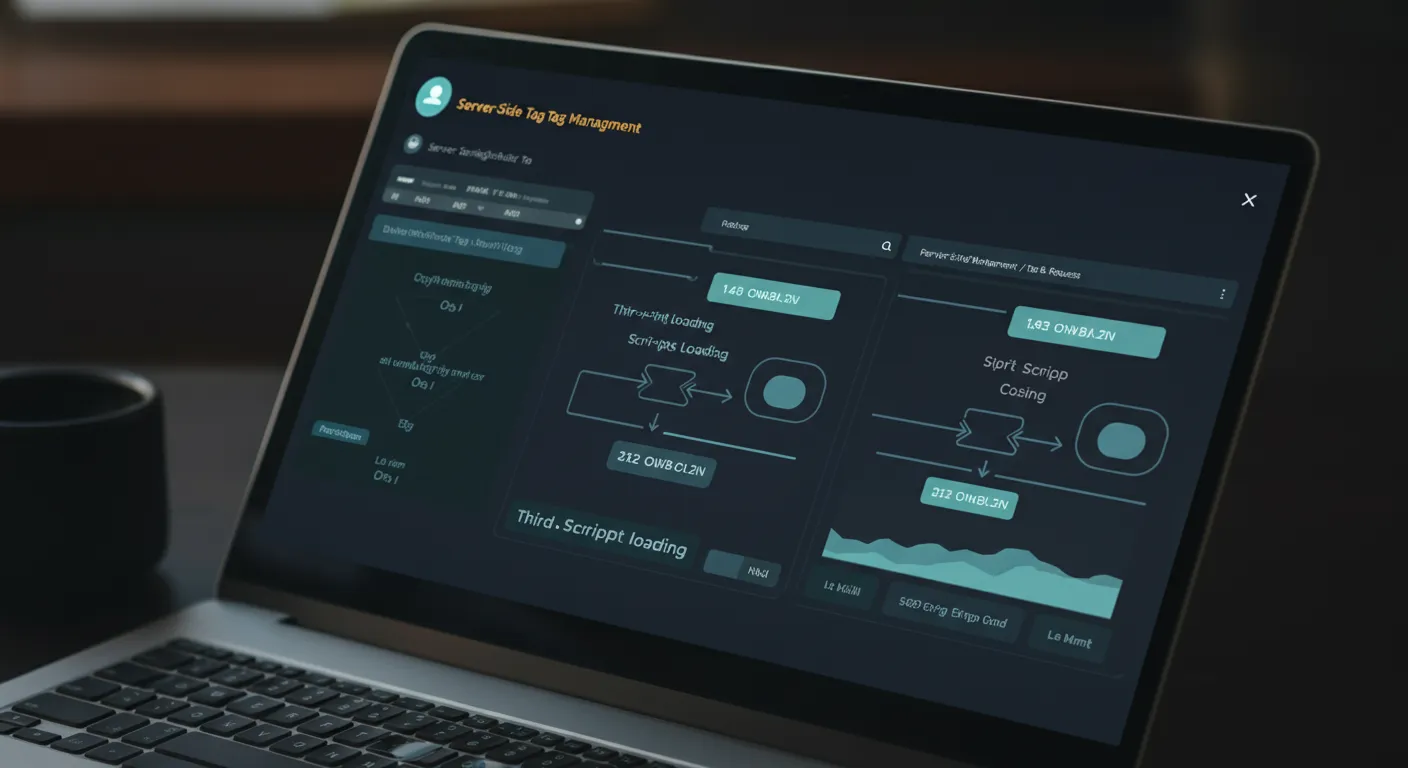
Zaraz is a server-side tag manager. It replaces Google Tag Manager and runs scripts on the edge instead of in the browser. Tag Gateway is a first-party proxy. It serves Google tags from your own domain so ad blockers cannot block them. Choosing the wrong one means leaving performance or accuracy on the table.
What Zaraz Does (and What It Replaces)
Zaraz replaces traditional tag managers like Google Tag Manager. Instead of injecting JavaScript into the visitor’s browser, Zaraz runs events on Cloudflare’s servers.
The difference is real. A site with 10 GTM tools might load 500KB of JavaScript across 15 to 20 requests. All of it blocks the main thread. With Zaraz, your site loads one small script. Everything else runs on the edge.
What Zaraz Manages
- Analytics: GA4, Plausible, Fathom, Matomo
- Advertising pixels: Meta Pixel, Google Ads, TikTok, LinkedIn Insight
- Heatmaps and session recording: Hotjar, Microsoft Clarity
- Chat widgets: Tawk.to, Intercom, Drift
- Custom HTTP requests: any endpoint you need to send events to
- Consent management: built-in API that gates tool loading based on visitor consent
If your site feels slow because of third-party scripts, or if you want centralized control over what loads and when, we can set up Zaraz for your site and show you the before-and-after performance difference.
What Google Tag Gateway Does (and Why It Exists)
Tag Gateway solves a different problem: signal loss. Ad blockers and browsers like Safari block requests to known tracking domains. When googletagmanager.com gets blocked, GA4 stops counting visitors and Google Ads stops recording conversions.
Tag Gateway fixes this by serving Google tags from your own domain. Instead of:
https://www.googletagmanager.com/gtag/js?id=G-XXXXXYour site loads:
https://yourdomain.com/metrics/gtag/js?id=G-XXXXXTo browsers and ad blockers, this looks like a first-party request from your own site. The tag loads, the measurement fires, and the data reaches Google.
Who Benefits Most From Tag Gateway
Tag Gateway is most valuable if you rely on Google Ads conversion tracking. Every blocked conversion means less data for the algorithm. Less data means higher cost per click and worse targeting.
If you run Google Ads without Tag Gateway, you are losing conversion data. Fewer conversions reported means worse bidding. You pay more and get less.
Wondering how much tracking data your site is losing to ad blockers? We can audit your current setup and show you the gap.
Zaraz vs Tag Gateway: Side-by-Side Comparison
| Feature | Cloudflare Zaraz | Google Tag Gateway |
|---|---|---|
| Purpose | Server-side tag management | First-party Google tag delivery |
| Scope | All third-party tools | Google tags only (GA4, Ads) |
| Performance impact | Near-zero (scripts run on edge) | Minimal (proxies existing scripts) |
| Ad blocker bypass | Partial (server-side events skip browser) | Yes (first-party domain delivery) |
| Consent management | Built-in API | None |
| Replaces GTM | Yes | No |
| Works with non-Google tools | Yes | No |
| Setup complexity | Medium (configure each tool) | Low (one path + tag ID) |
| Pricing | Free up to 1M events/month, $5/M after | Free |
| Requires Cloudflare | Yes | Yes |
The key difference: Zaraz is about performance and control. Tag Gateway is about measurement accuracy for Google products.
When to Use Each
Use Zaraz Alone When
- Your site loads many third-party scripts and page speed is suffering
- You need centralized consent management for GDPR or CCPA compliance
- You want to replace Google Tag Manager entirely
- You do not run Google Ads campaigns (so signal recovery is not a priority)
Use Tag Gateway Alone When
- You only use Google tools (GA4 and Google Ads)
- Your primary concern is recovering lost conversion data from ad blockers
- You already have acceptable page speed and do not need full tag management
- You want the simplest possible setup (takes about 10 minutes)
Use Both Together When
- You run Google Ads AND use non-Google tools (Meta Pixel, chat widgets, etc.)
- You want maximum page speed AND maximum Google measurement accuracy
- You need consent management for all tools plus first-party delivery for Google tags
Setting Up Both on the Same Domain
Both tools live in the Cloudflare dashboard under your domain. Here is the setup order:
- 1
Enable Zaraz
Go to your Cloudflare dashboard, select your domain, and open the Zaraz section. Add each third-party tool you currently load (GA4, Meta Pixel, Hotjar, etc.) as a Zaraz tool. Configure triggers for pageview and custom events.
- 2
Remove old scripts
Delete the GTM container and any hardcoded tracking scripts from your site's HTML. Zaraz injects its own lightweight loader automatically. Leaving old scripts in place means double-counting.
- 3
Enable Tag Gateway
In the Cloudflare dashboard, open the Google Tag Gateway section. Enter your Google tag ID and choose an unused URL path (like /metrics). Cloudflare provisions the proxy automatically.
- 4
Update Google Ads
In Google Tag Manager or your Google Ads account, update the tag configuration to use your gateway path. Google's documentation walks through this step for each product.
- 5
Verify
Use Zaraz's debug mode and Google's Tag Assistant to confirm events are flowing through both systems. Check that no duplicate events are being sent.
Known Compatibility Note
There is one known issue when running both: the “Disable Zaraz” page rule does not work while Tag Gateway is enabled. This was reported to Cloudflare in September 2025 and is unresolved as of February 2026. If you need to disable Zaraz on specific pages, you will need a different setup for those pages.
Pricing: Both Are Effectively Free for Most Sites
| Plan | Zaraz | Tag Gateway |
|---|---|---|
| Free tier | 1,000,000 events/month | Unlimited |
| Paid tier | $5/month per additional 1M events | Free (no paid tier) |
| Feature gating | None (all features on free) | None |
| Requires paid Cloudflare plan | No | No |
For context, 1 million Zaraz events per month covers a site with roughly 200,000 to 300,000 monthly pageviews (assuming 3 to 5 events per pageview). Most small business websites fall well within the free tier.
Summary
- Zaraz is your tool for page speed and script control. It replaces GTM, runs third-party scripts server-side, and includes built-in consent management.
- Tag Gateway is your tool for Google measurement accuracy. It serves Google tags from your domain, bypassing ad blockers and recovering 11% or more of lost signals.
- Both can run on the same Cloudflare domain with one minor caveat around the Disable Zaraz page rule.
- Both are free for the vast majority of websites. Zaraz charges $5/month only after 1 million events.
- The recommended approach is to use both: Tag Gateway for Google signal recovery, Zaraz for everything else.
Better tag management is one part of a broader digital marketing strategy. See AI is transforming digital marketing in 2026, the AI marketing vs agency comparison, and our what is AI marketing primer for the bigger picture. For the framework side of performance, see Best SEO Framework 2026 and Best Frontend Stack for SEO 2026.
Frequently Asked Questions
What is Cloudflare Zaraz?
Cloudflare Zaraz is a server-side tag manager that moves third-party scripts off the browser and runs them on Cloudflare's edge network. Instead of loading tracking pixels, analytics, and chat widgets directly in the visitor's browser, Zaraz executes them in the cloud. This reduces page weight, improves Core Web Vitals, and gives you centralized consent management.
What is Google Tag Gateway?
Google Tag Gateway is a Cloudflare feature that proxies Google measurement tags through your own domain. Instead of loading scripts from googletagmanager.com, your site loads them from yourdomain.com/measurement-path. This makes the requests first-party, which bypasses most ad blockers and browser privacy restrictions that would otherwise block the tracking.
Can I use Zaraz and Tag Gateway at the same time?
Yes, they can run on the same domain. The recommended setup is to route Google tags through Tag Gateway for better signal recovery while using Zaraz for all other third-party scripts. There is one known issue: the Disable Zaraz page rule does not work when Tag Gateway is enabled, but this only matters if you need to disable Zaraz on specific pages.
Is Cloudflare Zaraz free?
Yes. Every Cloudflare account gets 1 million free Zaraz events per month with all features unlocked. Additional usage costs $5 per month per million events. There is no feature gating between the free and paid tiers.
Does Google Tag Gateway work with non-Google tools?
No. Tag Gateway only supports Google tags like GA4 and Google Ads. If you need to manage Meta Pixel, TikTok, Hotjar, or other non-Google tools, you need Zaraz or another tag management solution for those.
How much does Google Tag Gateway improve tracking accuracy?
Google reports a median 11% improvement in measurement signals after enabling Tag Gateway. Some advertisers see up to 14% more conversions recovered. The improvement varies depending on your audience's ad blocker usage and browser privacy settings.
Does Zaraz replace Google Tag Manager?
It can. Cloudflare recommends configuring your tags directly as Zaraz tools rather than loading GTM through Zaraz. Tools loaded inside GTM cannot be optimized by Zaraz and are not covered by Zaraz's consent management controls.
Will Zaraz slow down my site?
No. Zaraz is designed to have near-zero performance impact regardless of how many tools you load. It bundles tags to reduce HTTP requests, supports lazy loading, and processes everything asynchronously on the edge rather than in the browser.
Do I need a paid Cloudflare plan for Tag Gateway?
No. Google Tag Gateway is available on Cloudflare's free plan. You need your domain proxied through Cloudflare and a Google tag ID to set it up.
What happens to my data if I switch from GTM to Zaraz?
Your analytics data continues flowing to the same destinations (GA4, Google Ads, etc.). Zaraz sends the same events and parameters, just from the server side instead of the browser. Historical data in your analytics platforms is unaffected.
About the author

vaza.ai
Marketing Team
The vaza.ai team helps small businesses modernize their websites and eliminate the cost, maintenance, and security headaches of legacy platforms.
Related reading



Want this running on your own site?
Run the free scan and see what Google and the AI answer engines actually find — then watch the platform monitor, fix and publish on autopilot.
Free instant grade · No signup · See what Google & AI see on your site